
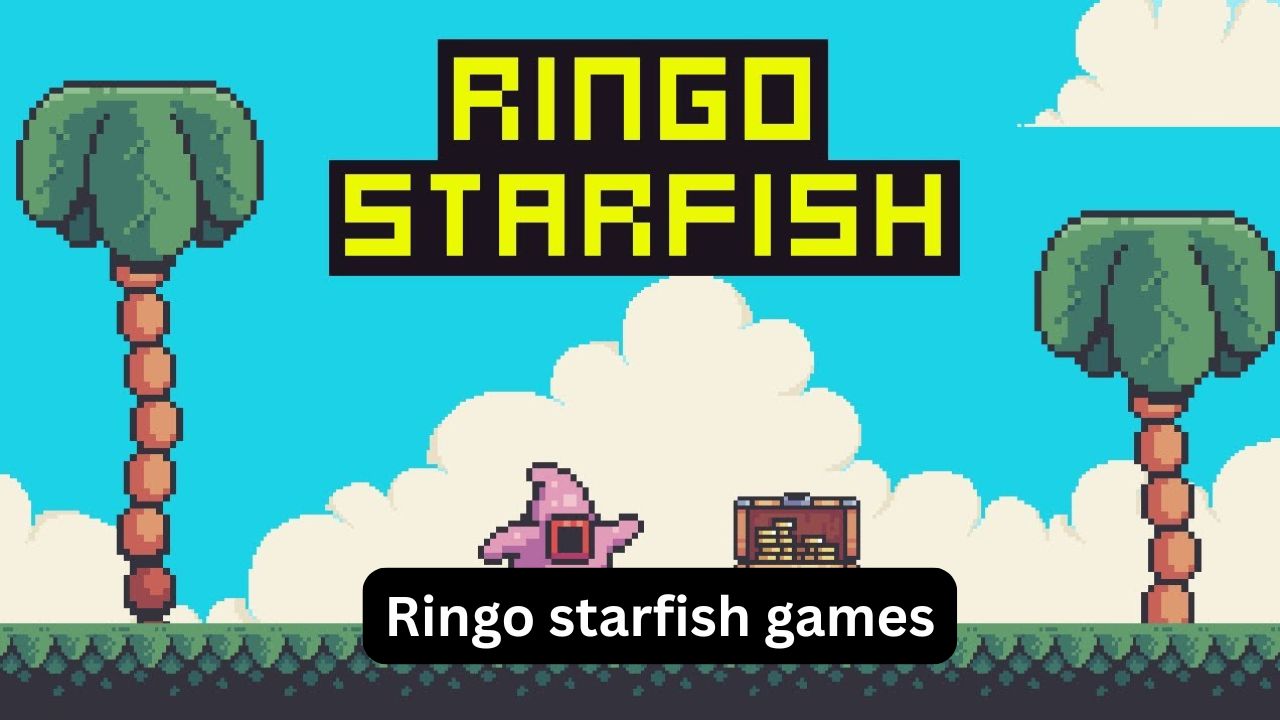
If you searched for Ringo Starfish games because you wanted to know what the game is, where to play it, or how to get past difficult sections, you are not alone. The game looks simple at first, but its combination of platforming, enemies, traps, collectibles, swimming, shooting, and checkpoints can make later stages surprisingly tricky.
Ringo Starfish is a 2D side-scrolling platform game developed by Magnific Studios. The basic idea is straightforward: explore a mysterious island, collect crystals, avoid hazards, defeat enemies, and reach the end of each stage. The browser version supports desktop, mobile, and tablet play, while the game has also appeared on other gaming platforms.
This guide explains the controls, objectives, useful strategies, common mistakes, and what to know about searches such as Ringo Starfish Crazy Games, Ringo Starfish Google Doodle, and Ringo Starfish walkthrough. It also clears up an important point: despite some websites describing it as a Google Doodle, Ringo Starfish is not an official Google Doodle game.
What Is Ringo Starfish?
Ringo Starfish is a retro-style 2D platformer in which you control Ringo, a starfish exploring a mysterious island in search of treasure.
The game combines several familiar platforming mechanics:
- Side-scrolling movement
- Jumping across platforms
- Enemy encounters
- Traps and environmental hazards
- Crystal collection
- Swimming sections
- Shooting
- Temporary invincibility
- Checkpoints
The official game description emphasizes collecting crystals while using Ringo’s firepower, swimming ability, and invincibility power to overcome obstacles.
That combination makes the game more than a basic jump-and-run title. You often need to decide whether to move quickly toward the exit or spend extra time exploring for collectibles.
Who Developed Ringo Starfish?
The game is associated with Magnific Studios on CrazyGames and Google Play. CrazyGames lists July 2021 as its release date and October 2024 as its most recent update on that platform.
There is also an Armor Games listing that identifies the game as a block/platform adventure and credits the developer differently, showing why information about its original publishing history can vary between game portals.
How to Play Ringo Starfish
The first few minutes are mainly about learning movement and understanding how Ringo interacts with enemies and obstacles.
On the browser version, the commonly listed controls are:
| Action | Control |
|---|---|
| Move left/right | Arrow keys or A/D |
| Jump | W or Up Arrow |
| Fire | X or J |
| Start | Mouse or touch |
| Mobile movement | Touch controls |
These controls are listed by CrazyGames and Armor Games.
If you are playing on a phone, the experience is naturally different because you are replacing physical keyboard keys with touch controls. Small timing errors can therefore be more noticeable during difficult jumps.
Your Main Objective
Your immediate goal is to get through each level safely.
However, a good run usually involves three separate objectives:
- Stay alive.
- Collect useful crystals and items.
- Reach the level exit or progression point.
Don’t assume that collecting everything is always the best strategy. If an item requires a risky jump that repeatedly costs you a life, reaching the next checkpoint may be more valuable.
Ringo Starfish on CrazyGames
Ringo Starfish Crazy Games is one of the most common searches surrounding the title.
CrazyGames lists Ringo Starfish as an HTML5 game that can be played through a browser on desktop, mobile, and tablet. The platform categorizes it as an action, platform, side-scrolling, 2D game with collectible and obstacle elements.
This is useful because HTML5 browser games do not normally require the kind of installation associated with traditional PC games.
The CrazyGames version also supports landscape orientation, which makes sense for a side-scrolling platformer where you need to see the upcoming terrain.
Why Players Look for the CrazyGames Version
The appeal is mostly convenience.
You can:
- Start the game in a browser.
- Use keyboard controls on desktop.
- Play on supported mobile devices.
- Continue through multiple platforming stages.
- Practice difficult sections without installing a large game.
The game has also been listed on other browser portals, so CrazyGames is not the only place where players may encounter it. Armor Games, for example, has a Ringo Starfish listing with the same basic movement and attack controls.
Is Ringo Starfish a Google Doodle?
This is where search results can become confusing.
There are websites that describe Ringo Starfish Google Doodle as though Google officially created a Doodle based on the game. However, the available evidence does not support that description.
The actual Ringo Starfish game is attributed to game developers such as Magnific Studios and is distributed through gaming platforms.
Some unofficial websites place Ringo Starfish among pages about “Google Doodle games.” That does not mean Google officially published a Ringo Starfish Doodle.
Why Does the Google Doodle Search Appear?
This is likely a search-association problem.
Google Doodle games have become a popular category of browser entertainment, and independent websites sometimes group other browser games into pages using phrases such as “Google Doodle games.” That can make a normal HTML5 game appear connected to Google Doodles even when there is no official Google Doodle for it.
Practical takeaway: If you found Ringo Starfish through a Google Doodle search, treat it as a browser game rather than assuming it was an official Google creation.
That distinction matters when looking for accurate controls, developer information, and game updates.
Ringo Starfish Walkthrough: A Better Way to Progress
A Ringo Starfish walkthrough is most useful when it teaches you how to approach the levels rather than simply showing every movement.
The game has many stages, and a full gameplay recording shows progression through 24 levels, including boss stages.
Instead of memorizing an entire level, use this method.
Step 1: Learn the Level Before Rushing
When entering an unfamiliar section, don’t immediately run forward.
Look for:
- Platforms above you
- Gaps
- Enemy positions
- Moving hazards
- Safe landing areas
- Collectibles
- Checkpoints
The first attempt should often be treated as reconnaissance.
Step 2: Control Your Jumps
Many platforming failures happen because the player jumps too early rather than because the jump itself is difficult.
A useful rhythm is:
Approach → observe → jump → adjust → land.
Don’t hold the movement direction longer than necessary. Small corrections are often safer than trying to make a dramatic last-second movement.
Step 3: Watch Enemy Patterns
Enemies are easier to handle once you understand their movement.
Before attacking, ask:
- Does the enemy move back and forth?
- Is there enough room to jump over it?
- Can you shoot safely from a distance?
- Is the enemy guarding a collectible?
- Will defeating it actually help you progress?
Sometimes the safest solution is simply to pass an enemy rather than fight it.
Step 4: Use Firepower Strategically
Ringo’s firepower gives you an option when enemies block the route.
But shooting should not become automatic.
A common mistake is stopping to attack every enemy even when the route can be cleared with a jump. This wastes time and can place you directly in the path of another hazard.
Use attacks when they create a meaningful advantage.
How to Use Swimming Sections
Swimming changes the rhythm of the game.
On normal platforms, gravity helps determine your movement. In water, controlling Ringo can feel less immediate.
The biggest mistake is making large movements without first judging the available space.
Instead:
- Enter the water carefully.
- Identify where you need to go.
- Make controlled movements.
- Avoid unnecessary contact with hazards.
- Look for the safest exit point.
If a swimming section repeatedly causes problems, slow down rather than trying to compensate with faster button presses.
Checkpoints Are More Important Than They Look
One of the most useful features in Ringo Starfish is the checkpoint system.
The game description specifically notes checkpoints throughout the levels.
A checkpoint changes how you should approach difficult areas.
Without one, you may be tempted to play extremely cautiously from the beginning. After reaching a checkpoint, however, you can afford to experiment more.
A Good Checkpoint Strategy
When you reach a checkpoint:
- Remember where it is.
- Treat the next area as a separate challenge.
- Explore nearby paths if you want collectibles.
- Don’t become frustrated if you fail immediately afterward.
- Use repeated attempts to learn the section.
This is one of the simplest ways to turn a frustrating level into a manageable one.
Three Advanced Tips That Make a Difference
1. Don’t Chase Every Collectible Immediately
A collectible placed in an awkward location may be deliberately testing your movement skills.
If you repeatedly lose a life trying to reach it, continue forward first.
Once you understand the level, return with better timing.
This approach is particularly useful for players who naturally want to collect everything on their first attempt.
2. Separate Exploration From Survival
Think of the game as having two modes.
Survival mode: Get past hazards and reach the next safe point.
Exploration mode: Search for crystals and optional rewards.
Trying to do both simultaneously can make difficult sections harder than necessary.
This simple mental separation is an underrated platforming technique.
3. Use Failure as a Map
A failed jump tells you something.
Maybe:
- You jumped too early.
- The platform was farther away than it appeared.
- An enemy’s movement was different than expected.
- You entered a hazard too quickly.
- You needed to use a different ability.
Instead of thinking, “I keep dying here,” think, “Now I know what happens when I take that route.”
That mindset makes repeated attempts much more productive.
Common Ringo Starfish Mistakes
Even experienced platform-game players can make the following mistakes.
Rushing the First Attempt
Moving quickly feels efficient, but unfamiliar levels punish blind movement.
Better approach: Spend the first attempt learning the layout.
Jumping Without Looking
A platform may appear reachable but require a particular approach angle.
Better approach: Position Ringo before committing to the jump.
Fighting Every Enemy
Not every enemy needs to be defeated.
Better approach: Compare the risk of attacking with the safety of simply moving past.
Ignoring Checkpoints
A player may continue exploring without recognizing how valuable a checkpoint is.
Better approach: Prioritize safe progress before risky exploration.
Trying to Collect Everything
Completionism can turn a straightforward level into a frustrating one.
Better approach: Finish the stage first, then improve your collection run.
Ringo Starfish on Mobile vs Desktop
The game supports browser play on desktop and mobile devices.
Desktop
Desktop play is generally easier for players who are comfortable with keyboard inputs because directional movement, jumping, and firing are mapped to dedicated keys.
Mobile
Mobile play offers convenience, but touch controls can require more precision.
For difficult sections:
- Keep your fingers positioned near the movement controls.
- Avoid covering important parts of the screen.
- Make smaller movements.
- Practice the jump timing before attempting collectible routes.
If you’re struggling on mobile, it doesn’t necessarily mean the level is too difficult. The input method itself can change how precise your movements feel.
Is Ringo Starfish Free to Play?
The browser versions of Ringo Starfish are generally presented as free-to-play games on gaming portals.
There is also an Android version published under Magnific Studios on Google Play. Its listing says the game contains ads and was updated on August 1, 2025.
So the exact experience depends on where you play it, but the game is designed around relatively simple, accessible gameplay rather than a large premium installation.
Why Ringo Starfish Still Works as a Casual Platformer
The strongest part of Ringo Starfish is not an especially complicated story. It’s the straightforward gameplay loop:
Explore → avoid hazards → collect → fight → reach the next section → repeat.
That simplicity makes it easy to understand while still giving players enough room to improve.
It also has a useful progression structure. Early sections help establish the basic mechanics, while later areas require better timing and more careful movement.
For someone who wants a quick browser platformer rather than a huge game requiring hours of setup, that’s a meaningful advantage.
FAQ
Is Ringo Starfish an official Google Doodle game?
No. Ringo Starfish is a browser platformer associated with game developers such as Magnific Studios, not an official Google Doodle. Some third-party websites group it with Google Doodle-style games, which likely explains the search association.
Where can I play Ringo Starfish?
Ringo Starfish is available through browser gaming platforms, including CrazyGames and Armor Games, and there is also an Android version. The browser version supports desktop, mobile, and tablet play.
What are the controls for Ringo Starfish?
On the browser version, Arrow keys or A/D control movement, W or Up Arrow is used for jumping, and X or J fires Ringo’s weapon. Mouse or touch can be used to start the game, while mobile devices use touch controls.
Is there a Ringo Starfish walkthrough?
Yes. Full gameplay recordings exist, including a playthrough covering the game’s stages and boss levels. However, learning enemy patterns, checkpoint locations, and jump timing is generally more useful than copying every movement from a walkthrough.
What is the main goal in Ringo Starfish?
The main goal is to guide Ringo through a mysterious island, overcome enemies and traps, collect crystals, and progress through the levels. The game also gives Ringo abilities such as firepower, swimming, and temporary invincibility to help deal with obstacles.
Final Thoughts
Ringo Starfish is a good example of a simple platformer that becomes more enjoyable once you stop treating every level as a race. Learn the terrain first, watch enemy patterns, use checkpoints intelligently, and separate safe progression from collectible hunting.
If you came looking for Ringo Starfish Crazy Games, the browser version is an easy way to experience the game. If you searched for Ringo Starfish Google Doodle, remember that the Google connection is largely the result of third-party game-site categorization rather than an official Google Doodle. And if you need a Ringo Starfish walkthrough, focus on understanding the mechanics instead of memorizing a single playthrough.
The best runs usually come from patience: one careful jump, one learned enemy pattern, and one checkpoint at a time.
